MasterCam یکی از نرم افزارهای کمپانی CNC Software در زمینه طراحی ابزارهای ماشینی و ماشین آلات مربوطه در تولید قطعات صنعتی است که با هدف مطرح شدن به عنوان یکی از بهترین نرم افزارهای موجود در زمینه طراحی CAD/CAM تولید شده است. در واقع MasterCam یک برنامه نرم افزاری ساخت به کمک رایانه یا کَم (CAM) می باشد که توسط برنامه نویسان CNC و مهندسین مکانیک فعال در زمینه ماشینکاری قطعات مورد استفاده قرار می گیرد. این نرم افزار مانند دیگر برنامه های طراحی مهندسی (CAD) به حرفه ای های دنیای صنعت فرز، تراشکاری، برش کاری و ماشین کاری کمک می کند تا به مدلسازی جامدات و سطوح و طراحی دو بعدی/سه بعدی اجزای مکانیکی و قطعات صنعتی و سپس برش دادن و یا ماشین کاری بر روی قطعات صنعتی پرداخته و عملکرد آن ها را بررسی نمایند.
قابلیت های کلیدی نرم افزار MasterCam عبارتند از:
CAD برای برنامه نویسان CAMطراحی دو بعدی و سه بعدی قطعات صنعتیابزارهای مدلسازی جامدات و سطوحدارای امکانات و ابزارهای لازم زمینه طراحی و ماشینکاری CAD/CAMبرش بر روی قطعات، ماشین کاری بر روی قطعات صنعتیپیش نمایش و ویرایش آسان مدل ها و طرح هاساخت قطعات با کیفیت بالا و ...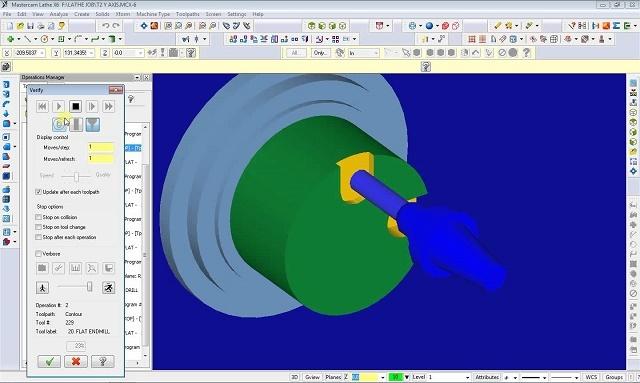
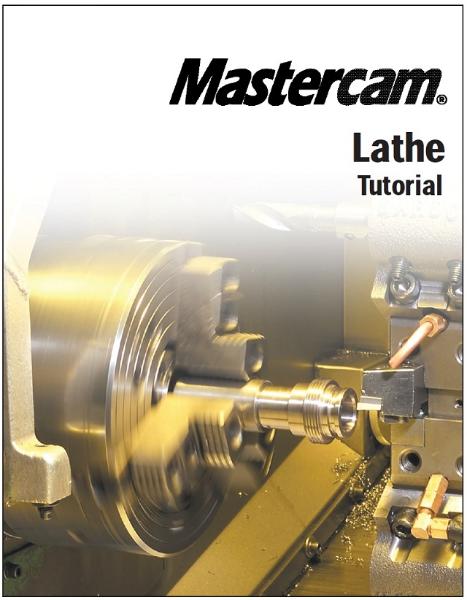
کتاب آموزش طراحی پروسه ماشینکاری و استخراج G کدهای دستگاه تراش Lathe Machining در نرم افزار MasterCam، یک کتاب مفید و کاربردی از آموزش ماشینکاری تراشکاری در نرم افزار مسترکم می باشد. الگوی آموزشی این کتاب مبتنی بر آموزش با مثال می باشد. کتاب مشتمل بر 294 صفحه، در 21 فصل، به زبان انگلیسی روان و به همراه تصاویر رنگی هر دستور و نوار ابزارها، به ترتیب زیر گردآوری شده است:
Chapter 1: Introduction to Mastercam Lathe
Using the sample partsIf you need more helpAdditional resourcesChapter 2: Setting Up a 2-Axis Turning Job
Exercise 1 – Starting Mastercam LatheExercise 2 – Opening the part Exercise 3 – Setting the tool boundariesExercise 4 – Setting the reference pointsExercise 5 – Saving the part and exiting Mastercam LatheChapter 3: Facing a Part
Exercise 1 – Selecting a facing toolExercise 2 – Entering the face toolpath parametersExercise 3 – Saving the part automaticallyExercise 4 – Backplotting to check the toolpathChapter 4: Roughing the OD
Exercise 1 – Chaining the geometryExercise 2 – Entering the quick rough parametersExercise 3 – Controlling the entry and exit movesExercise 4 – Backplotting to check the toolpathExercise 5 – Saving the part with a descriptionChapter 5: Drilling the ID
Exercise 1 – Creating a spot drill toolpathExercise 2 – Creating a drill toolpathExercise 3 – Backplotting to check the toolpathExercise 4 – Making a change to the drill toolpathExercise 5 – Backplotting the updated toolpathChapter 6: Finishing the OD
Exercise 1 – Creating a custom toolExercise 2 – Entering the quick finish parametersExercise 3 – Backplotting to check the toolpathsExercise 4 – Modifying the partChapter 7: Creating an OD Groove
Exercise 1 – Defining a groove using one pointExercise 2 – Entering the groove parametersExercise 3 – Backplotting to check the toolpathsExercise 4 – Posting the toolpathsExercise 5 – Exporting the toolpaths to a libraryChapter 8: Using Operation Libraries
Exercise 1 – Importing toolpaths from a libraryExercise 2 – Selecting new geometryExercise 3 – Backplotting to check the toolpathsChapter 9: Grooving and Finishing the ID
Exercise 1 – Defining a groove using two pointsExercise 2 – Entering the groove toolpath parametersExercise 3 – Copying a finish toolpathExercise 4 – Modifying the new finish toolpathChapter 10: ID and OD Threading
Exercise 1 – Creating an ID thread using thread tablesExercise 2 – Backplotting the ID threadExercise 3 – Creating an OD thread using a thread formulaExercise 4 – Backplotting the OD threadChapter 11: Machining a Casting
Exercise 1 – Chaining the OD for the rough toolpathExercise 2 – Entering the rough parametersExercise 3 – Defining a groove using a chainExercise 4 – Entering the groove parametersExercise 5 – Copying the finish toolpathExercise 6 – Entering the finish parametersExercise 7 – Viewing a model of the stockChapter 12: Machining on a VTL
Exercise 1 – Checking the job setup parametersExercise 2 – Entering the face toolpath parametersExercise 3 – Chaining the ODExercise 4 – Entering the quick rough parametersExercise 5 – Modifying the quick rough toolpathExercise 6 – Entering the quick finish parametersExercise 7 – Modifying the quick finish toolpathExercise 8 – Using levelsChapter 13: Adjusting and Moving the Part
Exercise 1 – Flipping the stockExercise 2 – Transferring stock between spindlesExercise 3 – Positioning the stock, tailstock, and steady restChapter 14: Setting Up a Mill/Turn Job
Exercise 1 – Setting the tool boundariesExercise 2 – Setting the spindle/turret and live toolingExercise 3 – Setting the reference pointsExercise 4 – Importing toolpaths and geometryChapter 15: Creating a Cross Contour
Exercise 1 – Chaining the first Y-axis contourExercise 2 – Entering the cross contour parametersExercise 3 – Copying the cross contour toolpathExercise 4 – Chaining the second Y-axis contourExercise 5 – Backplotting with C-axis rotationExercise 6 – Machining the C-axis slotsChapter 16: Creating a Face Contour
Exercise 1 – Chaining the contoursExercise 2 – Entering the face contour parametersExercise 3 – Adjusting the depth of the face contourChapter 17: Cross Drilling
Exercise 1 – Selecting the C-axis drill pointsExercise 2 – Entering the cross drill parametersExercise 3 – Copying the cross drill toolpathExercise 4 – Modifying the cross drill parametersExercise 5 – Cross drilling the Y-axis holesExercise 6 – Backplotting to check the toolpathsChapter 18: Rotating a Mill Pocket Toolpath
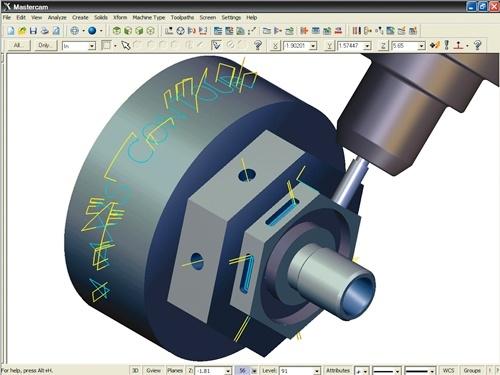
Exercise 1 – Chaining the pocketExercise 2 – Entering the pocket parametersExercise 3 – Rotating the pocket toolpathExercise 4 – Verifying the toolpathChapter 19: Creating a C-Axis Contour
Exercise 1 – Chaining the numbersExercise 2 – Entering the C-axis contour parametersExercise 3 – Backplotting to check the toolpathChapter 20: Glossary
Chapter 21: Mastercam Shortcut Keys
آموزش مسترکم، کتاب آموزش طراحی پروسه ماشینکاری و استخراج G کدهای دستگاه تراش Lathe Machining در نرم افزارMasterCam
| | نسخه قابل چاپ | تعداد بازديد : 12 |
 |
| نرمافزار MasterCam یکی از قدیمی ترین نرمافزارهای تهیه مسیر ماشین کاری جهت دستگاه های CNC میباشد که ساخت شرکت CNC Software Inc است. این نرمافزار جهت نصب و استفاده نیاز به الزامات سختافزاری کمتری نسبت به نرمافزارهای مشابه دارد و با داشتن post processor قوی امکان تعیین انواع مسیرهای حرکت ابزار جهت فرز و تراش CNC را فراهم می نماید. MasterCam در واقع یک نرمافزار مدل سازی کامل است که wireframe geometry دوبعدی وسه بعدی و عملیات سطح را با ویرایش قدرتمند و ابزار تغییر شکل ترکیب میکند. MasterCam Mill که براساس MasterCam Design پایه ریزی شده است این امکان را به شما میدهد که تعداد عملیاتهای ماشین کاری مختلف و گسترده را ایجاد و مدیریت کنید. MasterCam بخشی به نام associativity برای پیوند دادن عملیاتهای ماشین کاری به هندسه به کار میگیرد. بنابراین وقتی هندسه قطعه تغییر میکند Tool Paths میتوانند به طور اتوماتیک احیا شوند.
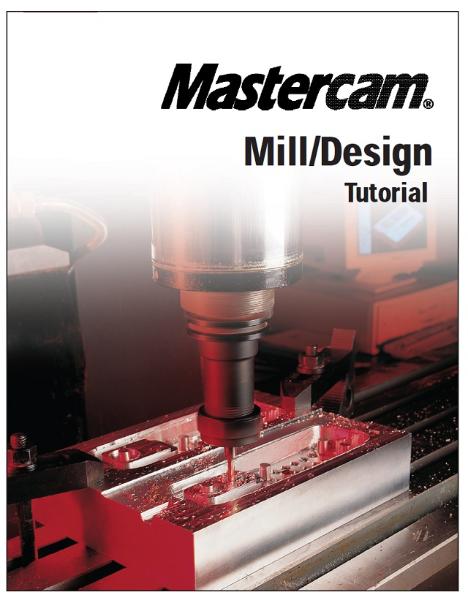
کتاب آموزش طراحی پروسه ماشینکاری و استخراج G کدهای دستگاه فرز Mill Machining در نرم افزار MasterCam، یک کتاب مفید و کاربردی از آموزش ماشینکاری فرزکاری در نرم افزار مسترکم می باشد. الگوی آموزشی این کتاب مبتنی بر آموزش با مثال می باشد. کتاب مشتمل بر 446 صفحه، در 19 فصل، به زبان انگلیسی روان و به همراه تصاویر رنگی هر دستور و نوار ابزارها، به ترتیب زیر گردآوری شده است:
Chapter 1: Introduction to Mastercam
Using the sample partsIf you need more helpAdditional resourcesChapter 2: Getting Started
Exercise 1 – Learning the Mastercam interfaceExercise 2 – Designing a rectangleExercise 3 – Deleting the rectangle and using helpChapter 3: Creating a 2D Part and Contour Toolpath
Exercise 1 – Designing the partExercise 2 – Creating the contour toolpathExercise 3 – Making changes to the toolpathChapter 4: Copying and Transforming Operations
Exercise 1 – Creating roughing and finishing passesExercise 2 – Creating a contour chamferExercise 3 – Mirroring the part and toolpathChapter 5: Rotating Geometry and Toolpaths
Exercise 1 – Creating the geometryExercise 2 – Cutting the slotsExercise 3 – Rotating a toolpathChapter 6: Creating Drill Toolpaths
Exercise 1 – Creating a basic drill toolpathExercise 2 – Changing the size of a drill holeExercise 3 – Drilling at different Z depthsChapter 7: Working in 3D
Exercise 1 – Creating 3D geometryExercise 2 – Drawing the bottom of the partExercise 3 – Creating a drill toolpath in the new system viewChapter 8: Using Circle Toolpaths
Exercise 1 – Creating a custom viewExercise 2 – Machining the outside contourExercise 3 – Machining the holes and slotExercise 4 – Using Auto drill to create multiple drilling operationsChapter 9: Facing and Pocketing Toolpaths
Exercise 1 – Facing the stock with high-speed loopsExercise 2 – Comparing different pocket cutting methodsExercise 3 – Specifying an entry pointExercise 4 – Using contour rampChapter 10: Pocket and Contour Toolpath Techniques
Exercise 1 – Remachining pocketsExercise 2 – Using depth cuts, island facing, and tapered wallsExercise 3 – Modifying a toolpath using the Toolpath EditorChapter 11: Reusing Operations
Exercise 1 – Creating an operations libraryExercise 2 – Importing operationsExercise 3 – Using subprogramsChapter 12: Choosing a Surface Type
DraftRuledLoftRevolvedSweptCoonsFilletTrim, To surfacesTrim, Flat boundaryOffset Surface BlendFillet BlendChapter 13: Creating and Machining Surfaces
Exercise 1 – Creating surfacesExercise 2 – Creating a rough parallel toolpathExercise 3 – Creating a finish parallel toolpathExercise 4 – Creating a finish leftover toolpathExercise 5 – Creating a finish pencil toolpathChapter 14: Surface Roughing
Exercise 1 – Creating a rough pocket toolpathExercise 2 – Creating a rough plunge toolpathExercise 3 – Creating a restmill toolpathExercise 4 – Creating a high speed pocket toolpathChapter 15: Surface Finishing
Exercise 1 – Using finish steep and shallow toolpathsExercise 2 – Creating a finish radial toolpathExercise 3 – Creating a finish project toolpathExercise 4 – Creating a finish contour toolpathExercise 5 – Creating a contour shallow toolpathExercise 6 – Creating a finish scallop toolpathExercise 7 – Creating a finish flowline toolpathChapter 16: Creating Multiaxis Toolpaths
Exercise 1 – Creating a curve 5-axis toolpathExercise 2 – Creating a swarf 5-axis toolpathChapter 17: Machining Solids
Exercise 1 – Machining the pocketExercise 2 – Drilling the holesChapter 18: Glossary
Chapter 19: Mastercam Shortcut Keys
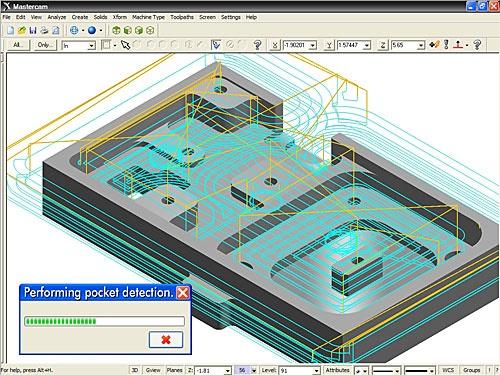
آموزش مسترکم، کتاب آموزش طراحی پروسه ماشینکاری و استخراج G کدهای دستگاه فرز Mill Machining در نرم افزار MasterCam
| | نسخه قابل چاپ | تعداد بازديد : 10 |